

If you encounter an urgent issue or require direct assistance with a complex topic while using HubSpot, contacting their Customer Care team by phone is often the best solution. However, phone support is not available to all users, and knowing your eligibility is crucial.
Here is how to access HubSpot’s phone support and who qualifies for this service.
Step 1: Confirm Your Plan Includes Phone Support
HubSpot’s support offerings vary signif
icantly by subscription level. To access phone support, you must be on a specific paid tier.
| Plan Level | Phone Support Availability | Key Benefit |
| Professional Plan | YES (Call-Back) | You receive a call-back option, with a HubSpot specialist typically calling you within 5 minutes. |
| Enterprise Plan | YES (Direct Call & Call-Back) | The highest support level, offering the ability to call directly and receive fast resolution. |
| Starter Plan | NO | You get Email and Chat support, but no direct phone communication. |
| Free Plan | NO | Free users must rely on the Community Forums and Knowledge Base. |
Step 2: Log In and Locate the Help Widget
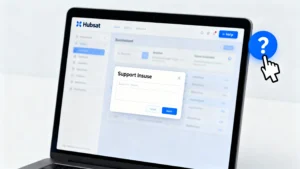
- Log in to your HubSpot dashboard.
- Once logged in, look for the blue help icon (question mark) in the upper right corner of your screen.
- Click the blue Help button; it will open a dialog box where you can type your issue.
Step 3: Navigate to the “Contact Us” Option
Scroll to the bottom of the Help widget dialog box and find the “Contact us” option. Click this to bring up the menu for selecting your support channel.
Step 4: Choose Your Support Channel Based on Subscription
The options you see here depend entirely on your subscription:
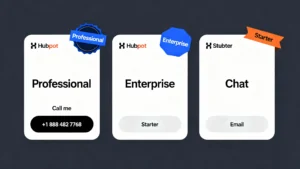
- If you are a Professional or Enterprise subscriber:
- Click the “Call me” option. This will place a callback request, and a HubSpot Support team member will usually call you back within 5 minutes.
- Alternatively, you can call the main U.S. number directly: +1 888 482 7768 (or 1-888-HUBSPOT).
- If you are a Starter subscriber:
- You will only see “Chat to the team” or “Email Support” options.
Step 5: Find International Phone Numbers (If Outside the U.S.)
If you are calling from outside the United States, HubSpot provides specific local phone numbers.
- Visit HubSpot’s official Contact Us page.
- Look for the “View all global numbers” or “Select your country” dropdown menu to find the local number for your region.
| Popular International Numbers |
| United Kingdom (UK): +44 20 7324 3700 |
| Australia: +61 2 9164 8000 |
| United States (US): +1 888 482 7768 |
Step 6: Prepare Key Information Before Calling
To ensure the Support team can quickly understand and resolve your issue, have the following information ready:
- Your Hub ID: (The unique identifier for your account, found at the top right of your dashboard).
- Detailed Problem Description: What happened, and when did it start?
- Subscription Plan: (e.g., Marketing Hub Professional).
- Screenshots/Error Messages (if applicable).
Step 7: Know the Availability and Wait Times
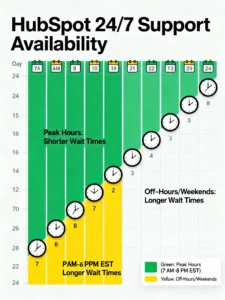
HubSpot’s Customer Support team offers 24/7 service, 7 days a week. However:
- Wait times are generally lowest during peak hours (typically 7:00 a.m. to 8:00 p.m. EST).
- You may experience slightly longer wait times if calling outside of U.S. business hours or on weekends.
Step 8: Request Support from the Mobile App
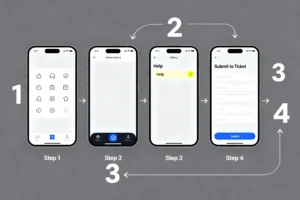
If you are on the go, you can still request support via the HubSpot mobile app:
- Open the HubSpot app.
- Tap “Menu” at the bottom.
- Go to the “Help” section.
- Tap “Submit a ticket.”
- Professional or Enterprise users can request a call-back from here as well.
Conclusion
Yes, HubSpot offers phone support, but it is exclusively available to Professional and Enterprise subscribers. If you are on one of these plans, use the Help widget within your account to request a fast call-back or dial a direct number for urgent and complex issues.